Client reports
The white-label PDF report in six languages, the comparison between two crawls, and the CSV exports.
Creating a report
- Crawl the website.
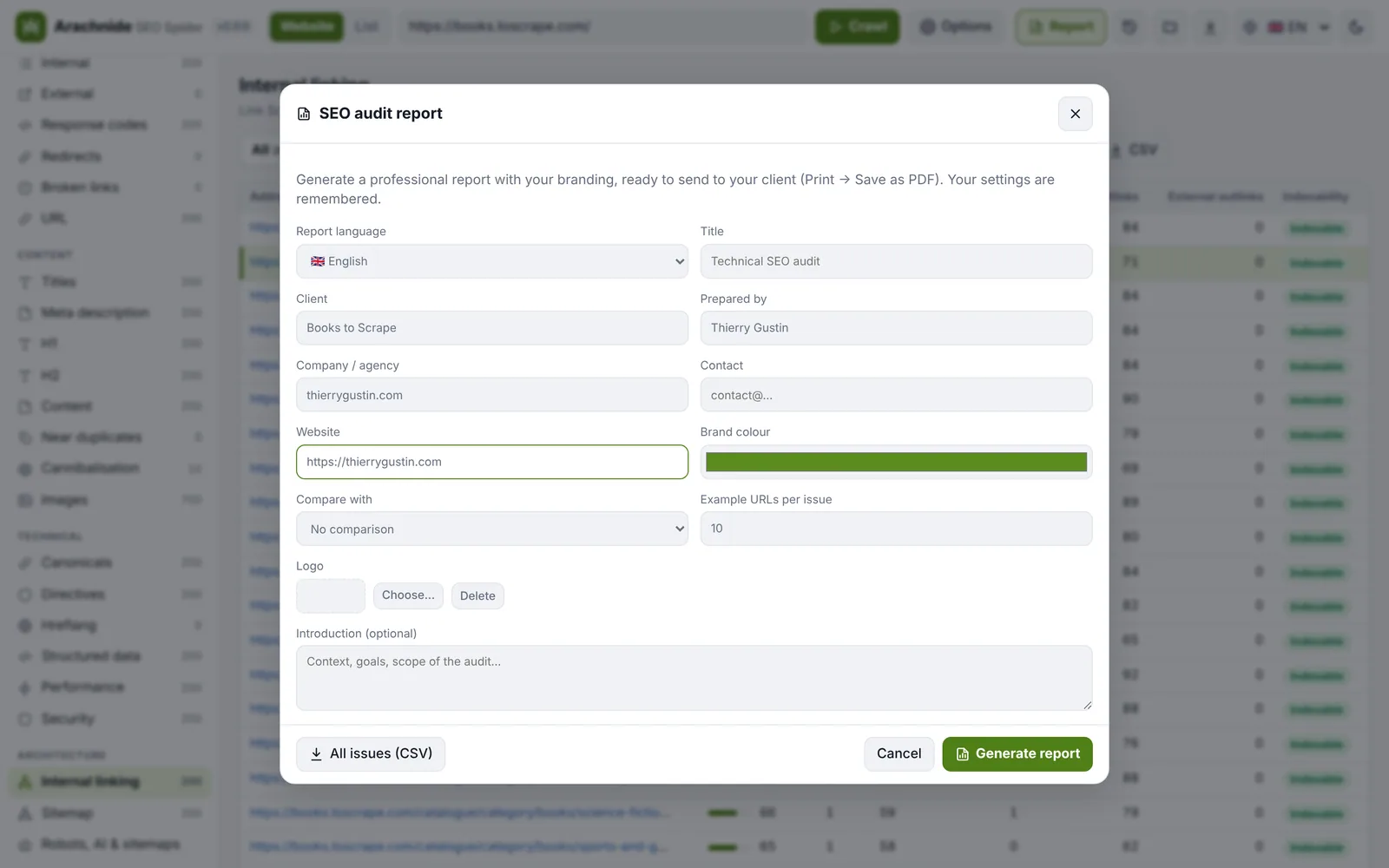
- Click Report. Choose the report language (English, French, German, Spanish, Italian or Portuguese), then add your logo, brand colour, client name and contact details. Your settings are remembered.
- Optionally pick a previous crawl of the same site to show its progress: score change, issues fixed and new issues.
- Click Generate report, then Print / Save as PDF.
What the report contains
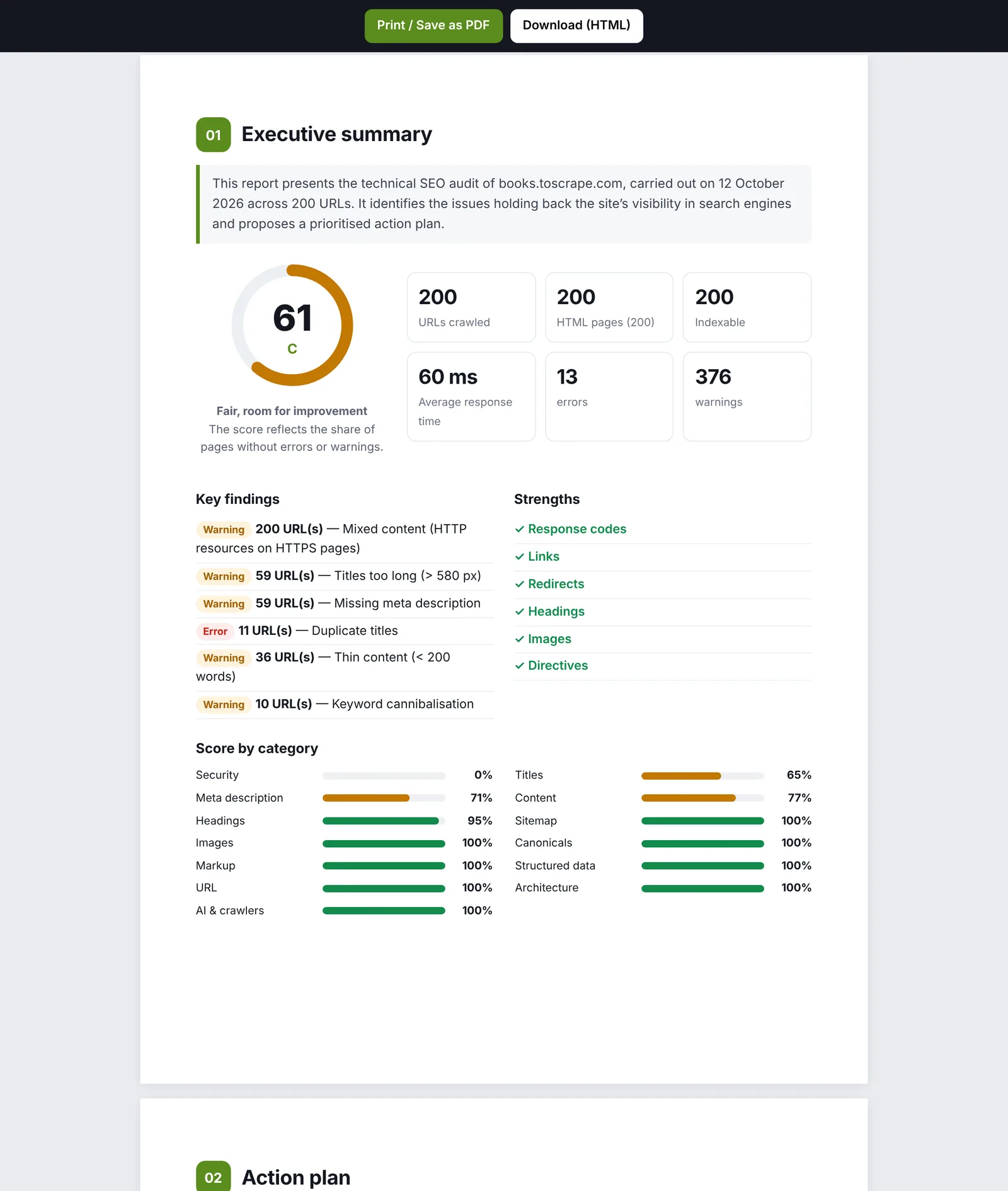
A cover page, an executive summary, key findings, strengths, scores by category, an action plan in three priority levels, a detailed analysis with sample URLs, a technical overview and the methodology. With a previous crawl selected, it adds the progress since the last audit: score change, issues fixed, new or worse, with URLs fixed and New URLs columns, URL by URL. With segments defined, a Results by segment section; a report generated while a segment is selected names it on the cover.
A sample report is in the repository: docs/sample-report.pdf.
Exports
- All issues (CSV) and pages (CSV) give your client or developer the full list of URLs to fix, with a Segment column when segments are defined and one column per custom extraction.
- JSON: the complete crawl as gzipped NDJSON, to reopen later in Arachnide or feed another tool.
- Every table exports its rows; the site map exports PNG, PDF and CSV; the action plan exports the URLs of one or several actions; the Fix history exports the Applied fixes PDF.
From the command line
--report writes a branded HTML report next to the crawl, with --report-title, --client, --author, --company, --contact, --website and --color "#5b8c1e"; --compare previous.jsonl.gz adds the evolution; --lang picks the language; --csv writes pages.csv and issues.csv. See Command line.