Crawl configuration
Every crawl option with its default value - limits, speed, robots.txt, rendering, scope, extraction, authentication, list and sitemap modes.
Click Options (the gear) to open the Configuration window, modelled on a desktop crawler's spider configuration. Your settings are remembered, except the HTTP password and the custom headers, which often carry a session cookie or a token.
| Tab | Settings |
|---|---|
| Spider | Read XML sitemaps, follow canonicals, include subdomains, check external links and images |
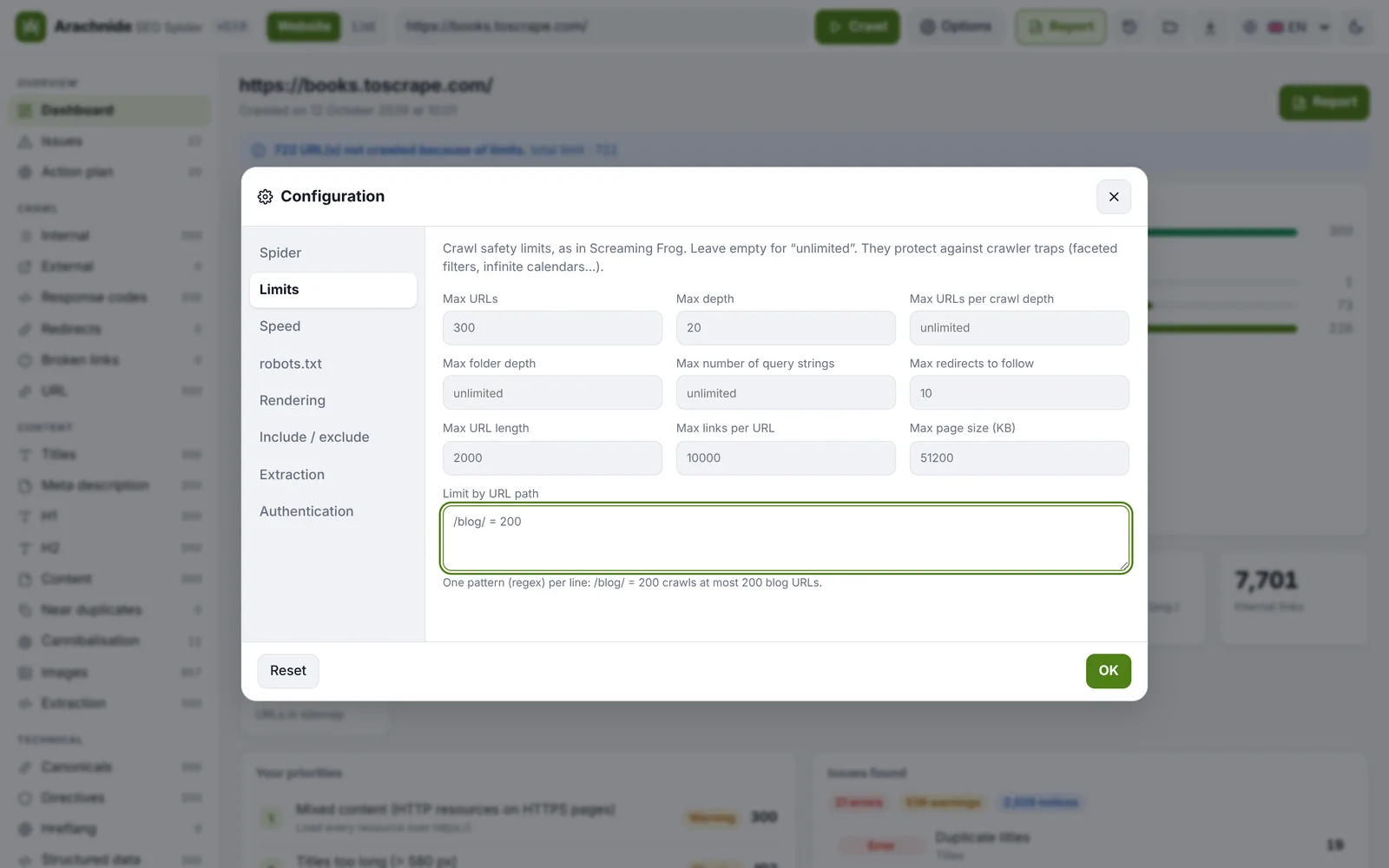
| Limits | Crawl total, crawl depth, URLs per depth, folder depth, query strings, redirects to follow, URL length, links per page, page size, limits by URL path (/blog/ = 200, one per line) |
| Speed | Max threads, max URLs per second, timeout |
| robots.txt | Respect / ignore but report / ignore, custom robots.txt, URL tester |
| Rendering | JavaScript rendering, user-agent (Arachnide, Googlebot desktop/smartphone, Chrome), Accept-Language |
| Include / exclude | Include / exclude regex, remove URL parameters (utm_*, gclid), ignore all parameters, custom search |
| Extraction | Up to 20 extractors: CSS selector (text, attribute, HTML or count) or regex |
| Authentication | HTTP user and password, custom headers (cookies, tokens) |
Spider
- Read XML sitemaps (on): the sitemaps declared in
robots.txtor at/sitemap.xmlare read, including sitemap indexes and.gzfiles, and their URLs are queued. Image and video sitemaps are skipped; at most 500 sitemap files are read. - Follow canonicals (on): a canonical that points to an uncrawled URL queues it.
- Include subdomains (off):
blog.example.comis part ofexample.comonly when this is on. Another port is never the audited site. - Check external links and check images (size, status, format) are off by default to keep client crawls light.
Limits
| Setting | Default | Notes |
|---|---|---|
Crawl total (maxPages) | 500 | Counts pages actually downloaded; URLs blocked by robots.txt do not consume it. Up to 10 000 000. |
Crawl depth (maxDepth) | 20 | Redirects add no depth. |
URLs per depth, folder depth, query strings, redirects to follow (10), URL length, links per page, page size (maxPageSizeKb) | — | Skipped URLs are counted per reason on the dashboard. Response bodies are read as a stream and abandoned beyond the size limit. |
| Limits by URL path | — | One per line, e.g. /blog/ = 200. |
Speed
- Max threads (
concurrency): 5 by default, 1 to 30. On a client site, stay between 2 and 5. - Max URLs per second (
maxUrlPerSec): a global cap, useful on shared hosting. - Delay between requests per worker, and timeout.
Rate limiting answers (429 and 503 with Retry-After) are honoured and retried; 500, 502, 504 and connection errors get one deferred retry at the end of the queue.
robots.txt
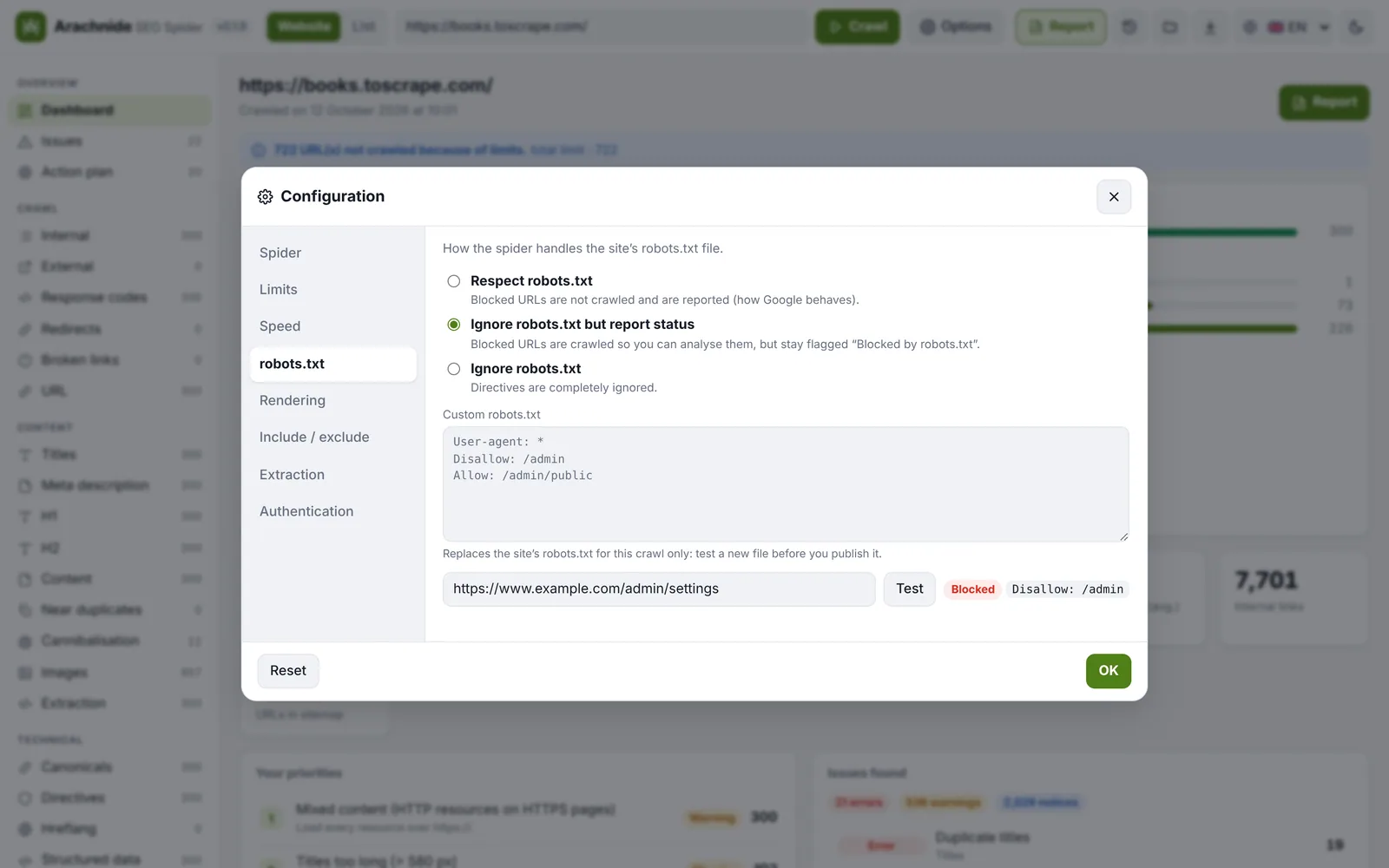
Three modes: respect (default), ignore but report (blocked URLs are crawled and still flagged) and ignore. You can paste a custom robots.txt to test a file before publishing it, and the built-in tester says whether a URL is allowed and which rule applies. Arachnide follows Google's rules for robots.txt (RFC 9309):
- a robots.txt answering 4xx means everything is allowed;
- a robots.txt answering 5xx or unreachable means everything is disallowed, with an explicit warning. Two ways out: the option robots.txt unavailable → allow (
--robots-unavailable allow), or the report / ignore mode; - in list mode and with subdomains, robots.txt is read once per host.
Rendering
JavaScript rendering uses the Chrome, Edge, Chromium or Brave already installed (through puppeteer-core; nothing is downloaded). Arachnide compares the raw HTML with the rendered page (content, links, title, H1, canonical, noindex), reports JS errors and JavaScript redirects, and measures lab LCP and CLS. Chrome is restarted every 500 rendered pages to bound its memory, and restarted once if it dies.
User agent: Arachnide (default), Googlebot desktop, Googlebot smartphone, Chrome, or a custom string. Like Googlebot, no Accept-Language header is sent by default; you can set one. If a site answers 403 to the Arachnide agent, the crawl switches to Chrome automatically and says so.
Include / exclude
- Include and exclude: one regular expression per line. An invalid line is ignored and reported. The start URL is always crawled.
- Stay in the start folder:
https://example.com/blog/crawls only/blog/…. - Remove URL parameters such as
utm_*orgclid(wildcards accepted). Since 3.21, parameters are sorted by key and known tracking parameters (utm_*,gclid,fbclid,msclkid,mc_cid,srsltid,_ga…) are removed by default, so?a=1&b=2and?b=2&a=1are one page; keep parameters as they are restores the raw behaviour. - Ignore all parameters, and custom search (a text or
/regex/to find in the source code). - A path producing 200 parameter variants is reported once as a facet trap, the signature of combinable filters eating the budget.
Extraction
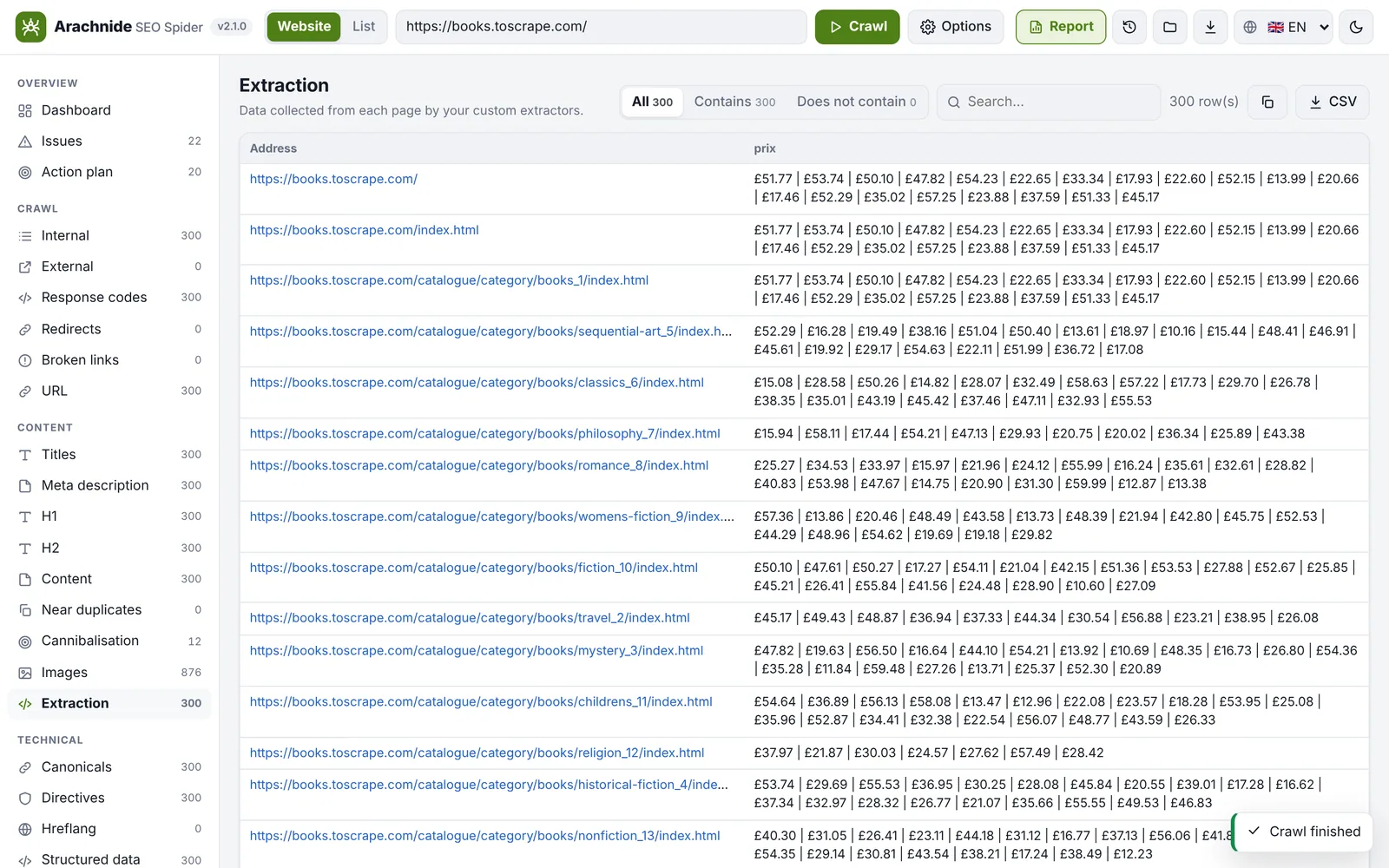
Up to 20 extractors, each with a name and a rule:
- CSS selector with a target: text, attribute, inner HTML or count;
- XPath (3.21): evaluated in Chrome in rendering mode, or on the raw HTML through
jsdom, an optional dependency loaded only when an XPath rule exists (npm install jsdomif you see the warning); - Regex, run in a worker with a 2-second timeout: a catastrophic pattern is interrupted for that page and the crawl goes on.
Values appear in the Extraction tab, in one column per rule in pages.csv, and can drive segments with the field extract:<name>. The CLI accepts the same rules with --extract (see Command line).
Authentication
HTTP authentication (user and password) and custom headers (cookies, tokens) for staging sites. They are sent only to the audited site, also in rendering mode, and are never saved.
Website, list and sitemap modes
The switch next to the address field chooses between crawling a website (following links) and a list of URLs you paste in (up to 500 000 URLs since 3.21; links are not followed, internal linking is not measured). The CLI adds --list urls.txt and --sitemap URL, which crawls exactly the URLs of a sitemap or sitemap index, deduplicated and normalised. AI agents get the same modes through mode, urls and sitemap_url on the crawl tools.
Resuming an interrupted crawl
During a crawl, Arachnide appends a resume journal (crawls/.en-cours/<id>.ndjson): every URL queued, every page processed. After a crash or a stop, the journal is listed on the home screen and the crawl can be resumed where it stopped, losing only the last seconds. The journal is deleted when the crawl completes. In the CLI: --resume FILE, or --no-journal to write nothing.