Segments
Audit a large site section by section - rules on 20 fields, first match wins, one segment per directory, score and statistics per segment, global filter.
Why segments
On a large site, one global score hides where the problems really are. Segments (since 3.14) split the audit into named sections, exactly like Screaming Frog segments: product pages, categories, blog, a language, pages without traffic, thin indexable pages…
Rules
A segment is a name, a colour, a match mode (all rules = AND, any rule = OR) and up to 20 rules. A rule is a field, an operator and a value.
- Fields: path, URL, title, H1, meta description, content type, indexability, indexable, HTTP status, click depth, words, unique inlinks, Link Score, response time, in sitemap, HTML, structured data type, language, canonical, Search Console clicks, GA4 sessions, and your custom extractions (
extract:<name>). - Operators: text (contains, equals, starts with, ends with, regex, empty…), number (=, ≠, >, ≥, <, ≤, empty) and boolean (is true, is false).
- Invalid regular expressions are read as plain text and reported, never blocking. Up to 50 segments.
- First match wins: a page belongs to the first segment whose rules it satisfies, so order your segments; the rest goes to No segment. Live page counts while you edit.
A segments file, as exported by the app or written by hand for the CLI (docs/segments.example.json in the repository):
{
  "app": "Arachnide SEO Spider",
  "segments": [
    { "name": "Product pages", "color": "#2563eb", "match": "all", "rules": [{ "field": "path", "op": "startsWith", "value": "/product/" }] },
    { "name": "Categories", "color": "#d97706", "match": "any", "rules": [{ "field": "path", "op": "startsWith", "value": "/category/" }, { "field": "path", "op": "regex", "value": "^/c/[a-z-]+/?$" }] },
    { "name": "Blog", "color": "#059669", "match": "all", "rules": [{ "field": "path", "op": "startsWith", "value": "/blog/" }] },
    { "name": "Thin indexable pages", "color": "#db2777", "match": "all", "rules": [{ "field": "words", "op": "lt", "value": 200 }, { "field": "indexable", "op": "isTrue" }] }
  ]
}
One click to start
Create from directories builds one segment per top-level folder, and goes one level deeper when a single folder holds the whole site (for example /fr/). Edit the names, colours and rules afterwards.
Applied after the crawl
Segments are applied without recrawling: create, edit or reorder them at any time. They are saved with the crawl, remembered per site in the browser and reused for the next crawls of the site. Import and export them as JSON to share them across a team.
What changes when you filter
Pick a segment in the sidebar and every page follows: dashboard, health score and pillars, SEO issues, action plan, all the tables, CSV exports and the PDF report are recomputed for that section with exactly the same scoring method as the full crawl (the engine's summary is reproduced when the full crawl is recomputed; this is unit-tested).
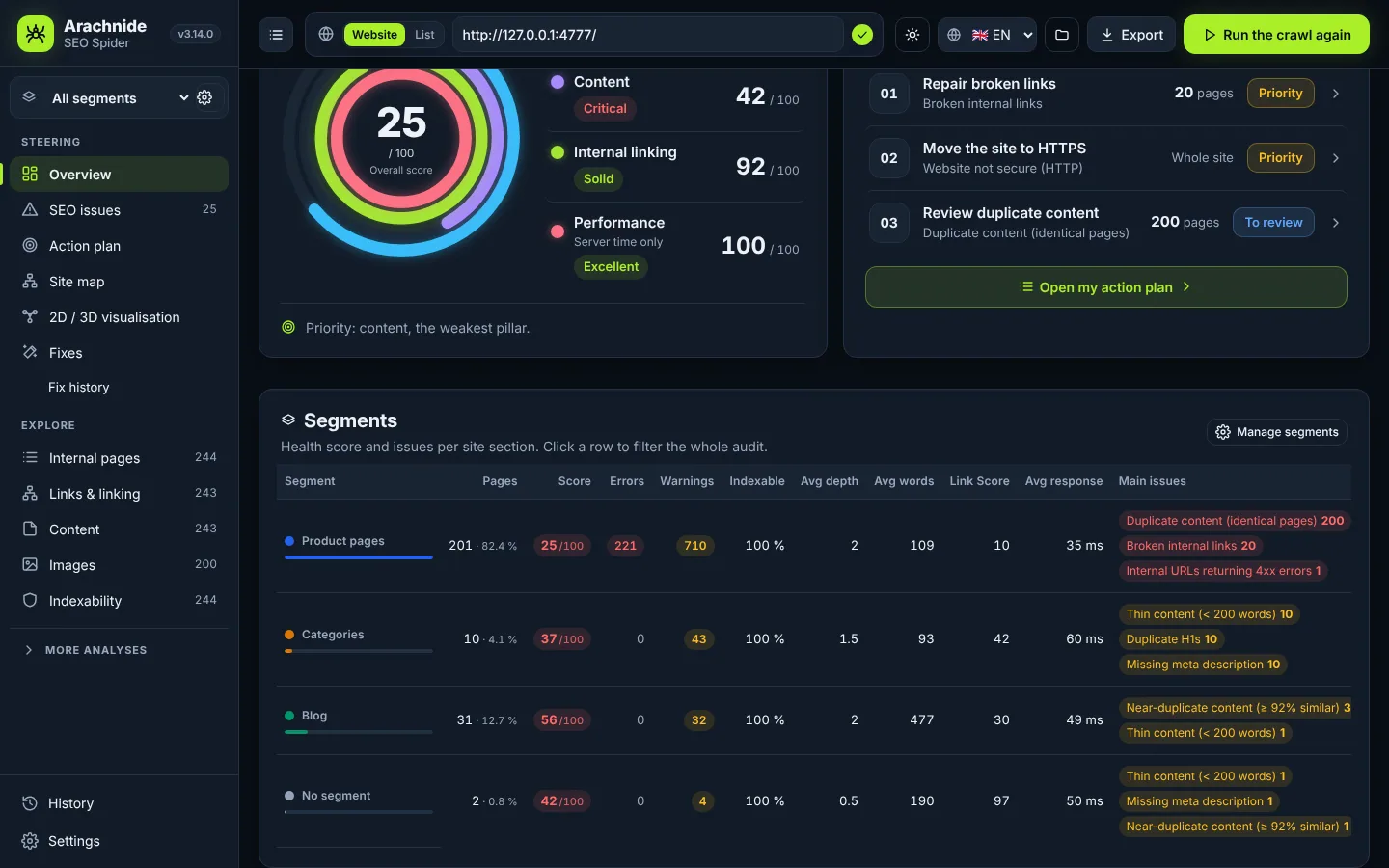
- The dashboard shows a segments table: pages, share, health score, errors, warnings, indexable %, average depth, words, Link Score, response time, GA4 sessions and top issues. Click a row to filter the whole audit; click an issue to open it in that segment.
- Each issue shows a breakdown by segment (stacked bar and chips that filter).
- A Segment column appears in the page tables, the affected-URL lists and the CSV exports.
- The site map and the 2D / 3D view get Colour by segment, with the active segment highlighted over the whole site.
- The PDF report names the segment on the cover when it is for one segment, or adds a Results by segment section otherwise.
Command line and agents
CLI: --segments segments.json, --segment-folders (one segment per top-level directory), --segment blog (summary, CSV and report on one segment; the JSON keeps the full crawl); a per-segment table in the console and a Segment column in pages.csv and issues.csv.
AI agents: the arachnide_segments tool (get the statistics per segment, suggest one segment per directory, set the list), and a segment parameter on summary, issues, action plan, page search and GEO readiness; segments option on the crawl tools.
Segment link counters are computed in a single pass since 3.19 (475 ms for 10 segments on 20 million links).