Getting started
Install Arachnide, run your first crawl in two minutes and read the dashboard.
Before you start
Arachnide SEO Spider is a Node.js application that runs on your own computer. You need:
- Node.js 18.17 or newer (the current LTS is recommended), from nodejs.org. Check with
node -v. - Optionally Google Chrome, Microsoft Edge, Chromium or Brave for JavaScript rendering. Arachnide finds the browser automatically and downloads nothing.
- No account, no licence key, no cloud: everything stays on your machine and the interface listens only on
127.0.0.1.
Installation is covered step by step on the download page. In short: download the ZIP or git clone the repository, then double-click the launcher for your system, or run npm install then npm start in the folder and open http://localhost:4000.
| System | File to double-click |
|---|---|
| macOS | start-mac.command. The first time, right-click it and choose Open, because macOS blocks unsigned scripts. |
| Windows | start-windows.bat |
| Linux | start-linux.sh |
Your first crawl in two minutes
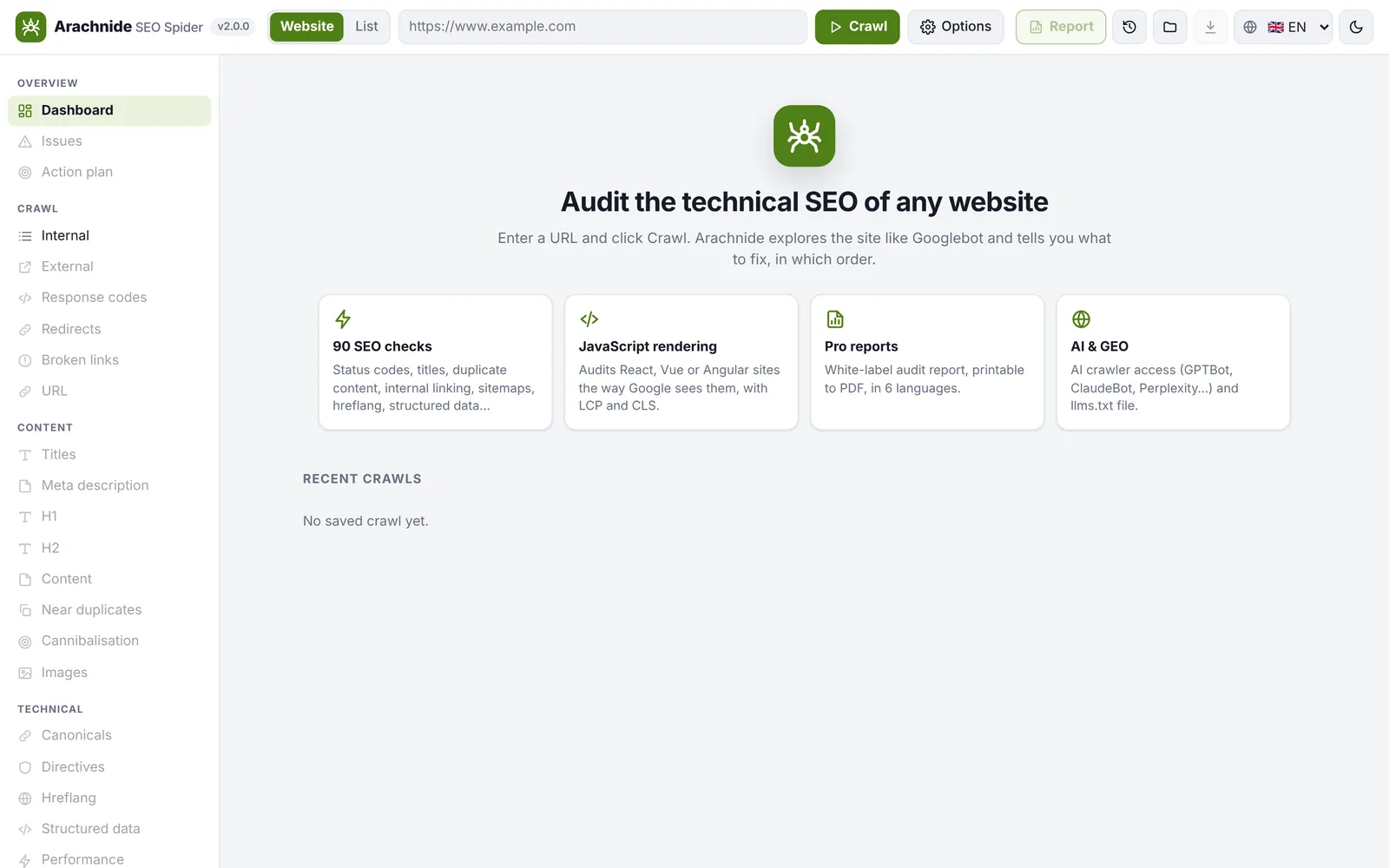
- On the home screen, type the address of a site you own or are allowed to audit, for example
https://www.example.com. - Leave Website selected (the other mode, List, crawls only a list of URLs you paste in).
- Click Crawl. The live table shows the pages as they arrive, the speed and the time remaining. The default budget is 500 pages: raise it in Options → Limits for a larger site.
- When the crawl is complete, the Overview opens.
If a site refuses the crawler (403 on the Arachnide user agent), the crawl switches to Chrome automatically and tells you; if it rate-limits you (429 or 503), Arachnide waits and retries, and throttled pages are reported as not checked, never as broken.
Reading the dashboard
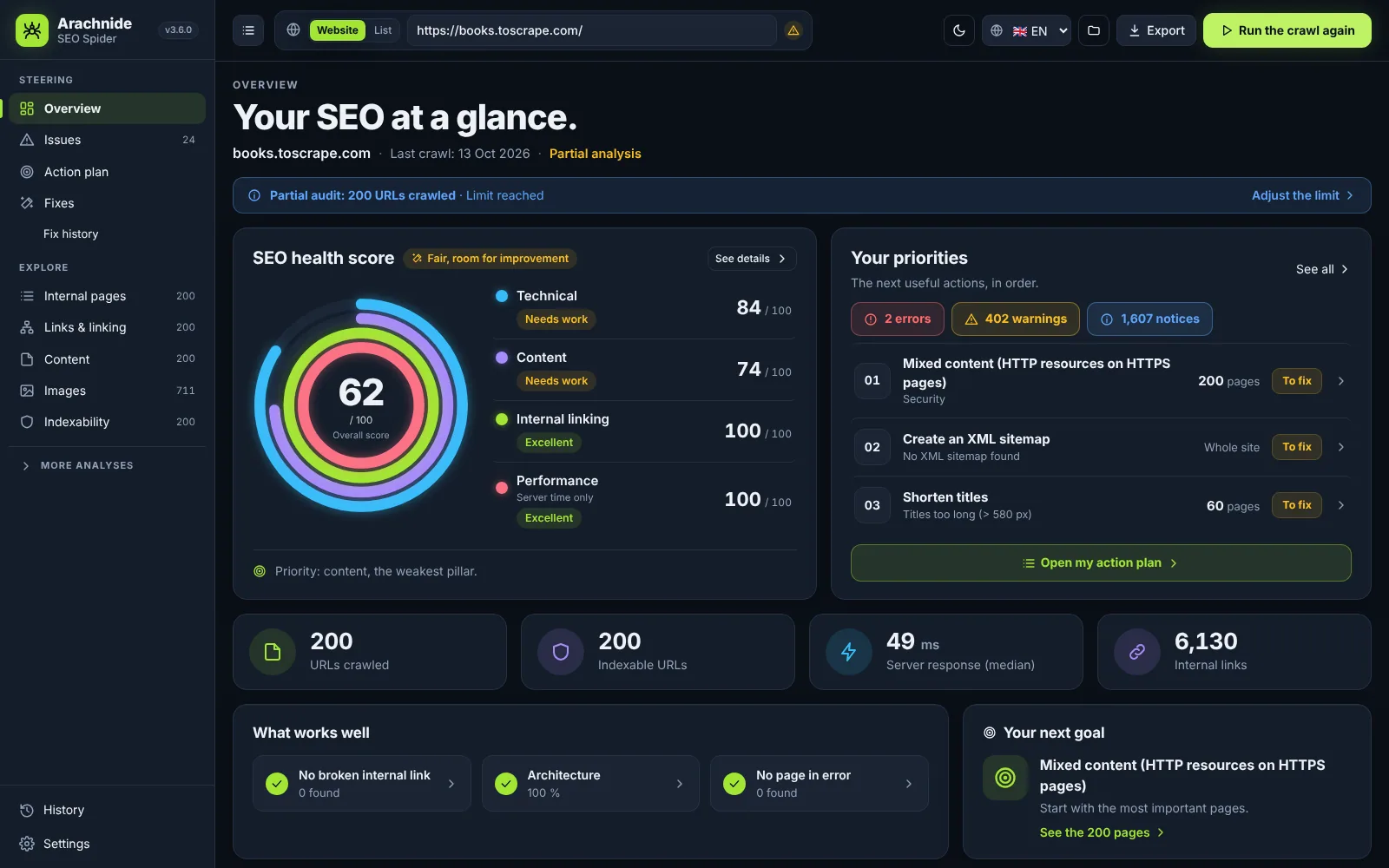
- SEO health is a score out of 100 with an A–F grade. Four rings show the pillars: Technical, Content, Internal linking and Performance. Each arc is exactly the pillar score; click a ring to open the issues of that pillar. A pillar without data (internal linking in list mode, performance without measurements) is shown as Not measured, never as a good score.
- Your priorities: the top three actions, counted in unique pages, with a link to the action plan.
- Key indicators: URLs crawled, indexable URLs, median server response, internal links.
- What works well lists only the checks that actually passed on the crawled scope, and Your next goal suggests the next milestone.
- A banner says when the audit is partial (stopped or limit reached), with a shortcut to adjust the limit.
The health score caps each issue's penalty and combines penalties multiplicatively, so one defect repeated by a template cannot drop a site to 0, while site-level problems (Googlebot blocked, no HTTPS) do count.
Where to go next
- Issues and Action plan tell you what to fix, in which order and how: see SEO issues and action plan.
- The Explore section of the sidebar opens the tables (internal pages, links, content, images, indexability…): see The interface.
- Report generates a white-label PDF for your client: see Client reports.
- Fix in 1 click lets Claude or ChatGPT propose corrections that you approve: see Fix in 1 click.
Saved crawls
Every crawl is saved in the crawls folder of the application as gzipped NDJSON (.jsonl.gz), indexed with its score, grade and date, and compared automatically with the previous crawl of the same site. Open a saved crawl from the home screen, or import a file with the Import button (old .json exports still open). Your settings are remembered, except the HTTP password and custom headers.