Features
Everything is in version 3.21.0, free, with no feature behind a paywall. Each section links to its documentation page.
Audit and health score
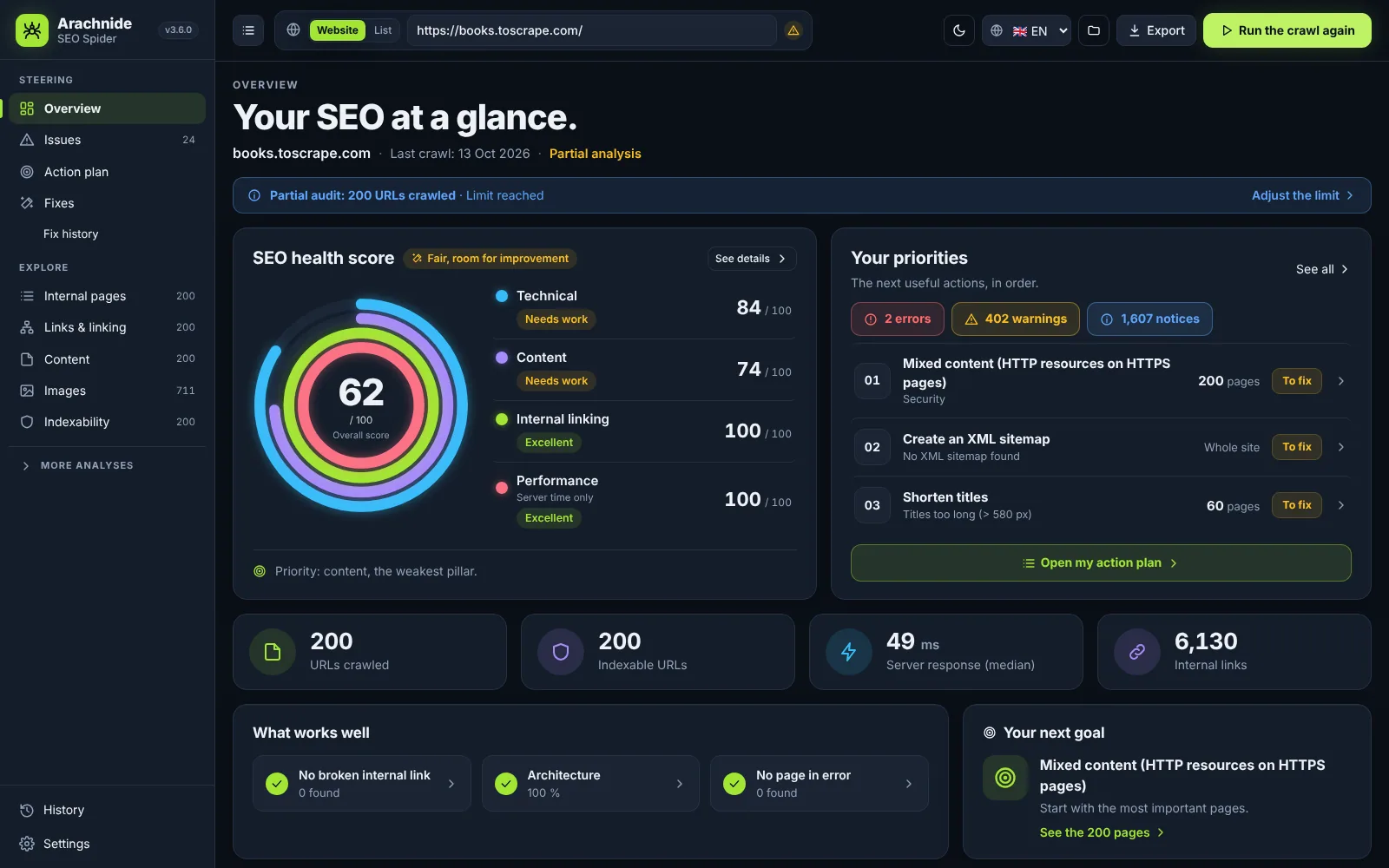
One crawl gives you a health score out of 100 with an A–F grade, four pillar scores (technical, content, internal linking, performance), your top priorities counted in unique pages, key indicators, what works well and your next goal. Pillars without data are shown as “not measured”, never as a good score.
- About 95 checks in 14 families: response codes, redirects, titles and metas, headings, content, images, indexing, architecture, sitemaps, international, structured data, JavaScript, performance and security, URLs, AI and GEO.
- Link Score (internal PageRank), click depth, orphan pages, near duplicates (simhash), keyword cannibalisation, title and description width in pixels with a Google SERP preview.
- JavaScript rendering with the Chrome or Edge already installed: raw versus rendered HTML, JS errors, LCP and CLS.
SEO issues and action plan
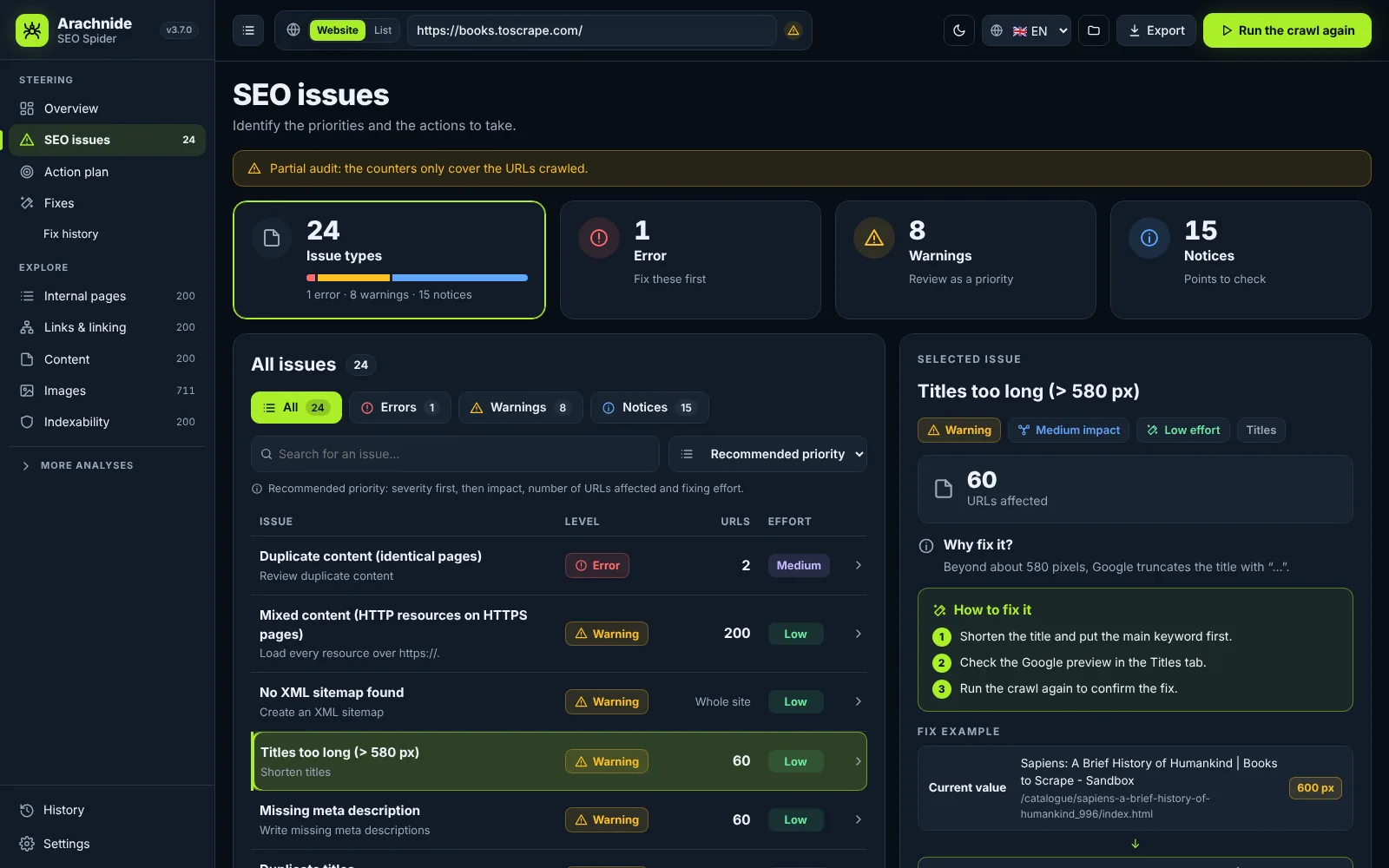
The issues page shows what was found, how serious it is, how many unique URLs it affects and how much effort it takes, with a fix panel: why it matters, numbered steps, a before / after example taken from a real page, and the list of URLs to export.
- Recommended priority: errors first, then warnings, then notices, ranked by severity × impact × URLs ÷ effort.
- The action plan turns each issue into an action with a verb, a rank, a “done when” criterion, a status (to do, in progress, to validate) and notes saved in your browser per site.
- Only a new crawl that no longer detects the issue marks it as resolved.
Fix in 1 click and connectors
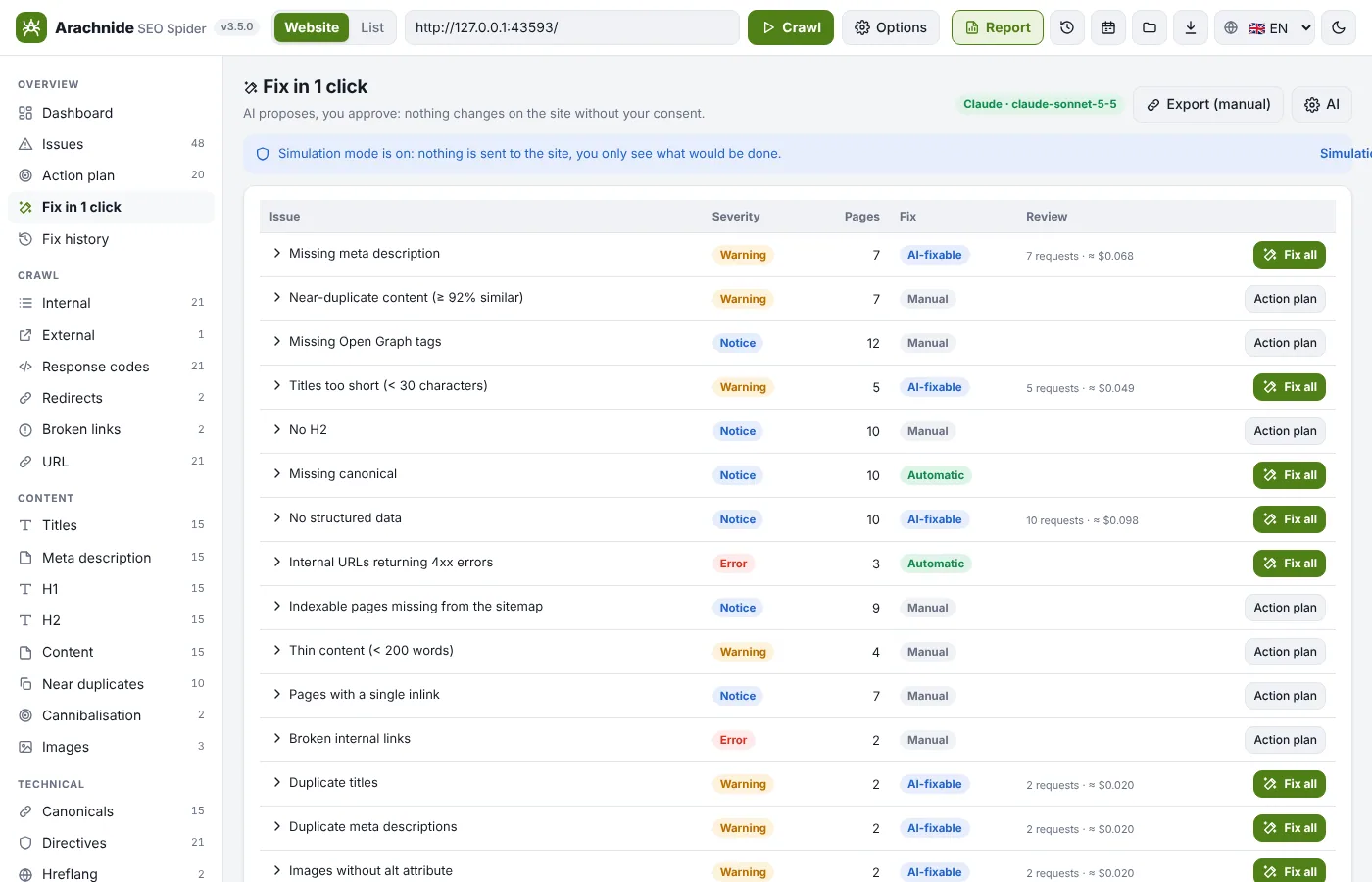
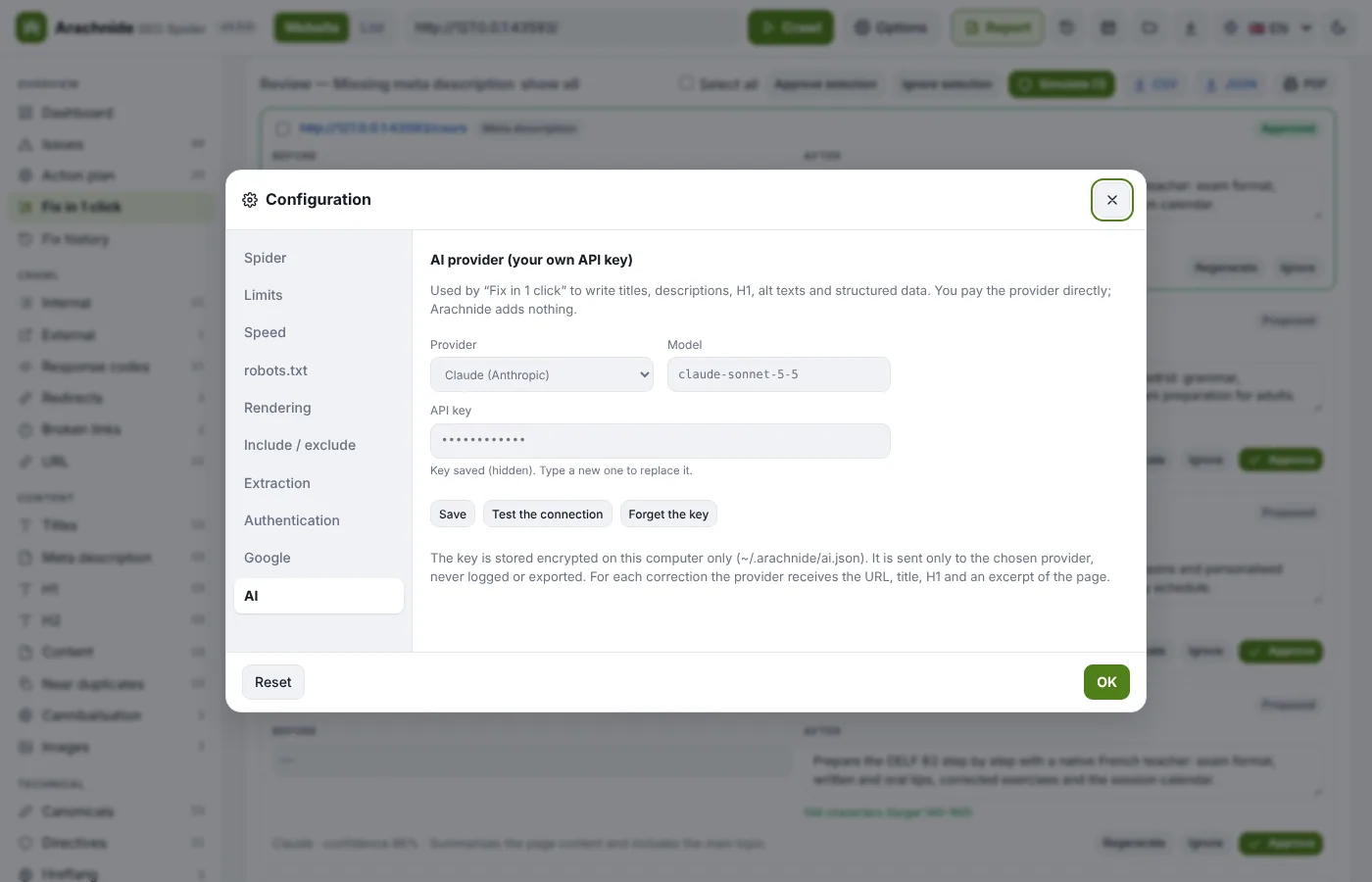
Since 3.5, Claude (Anthropic) or ChatGPT (OpenAI) write titles, meta descriptions, H1, image alt texts and JSON-LD from the real content of each page, with your own API key. 301 redirects, canonicals, accidental noindex and links to redirects are computed without AI. You review, approve, and a connector applies the change.
- Connectors: WordPress (companion plugin), Drupal, Joomla, PrestaShop, Shopify, Webflow, Wix, files (static HTML plus _redirects, .htaccess, nginx or vercel.json), Cloudflare Worker, GitHub pull request, and a manual mode with exact click paths.
- Automatic CMS detection, simulation mode on by default, per-site policy (allowed fields, batch size, read-only), history and undo of one fix or a whole batch, “applied fixes” PDF.
- Keys and credentials are stored encrypted on your computer and never sent anywhere except to the provider or CMS concerned.
Site map in 2D and 3D
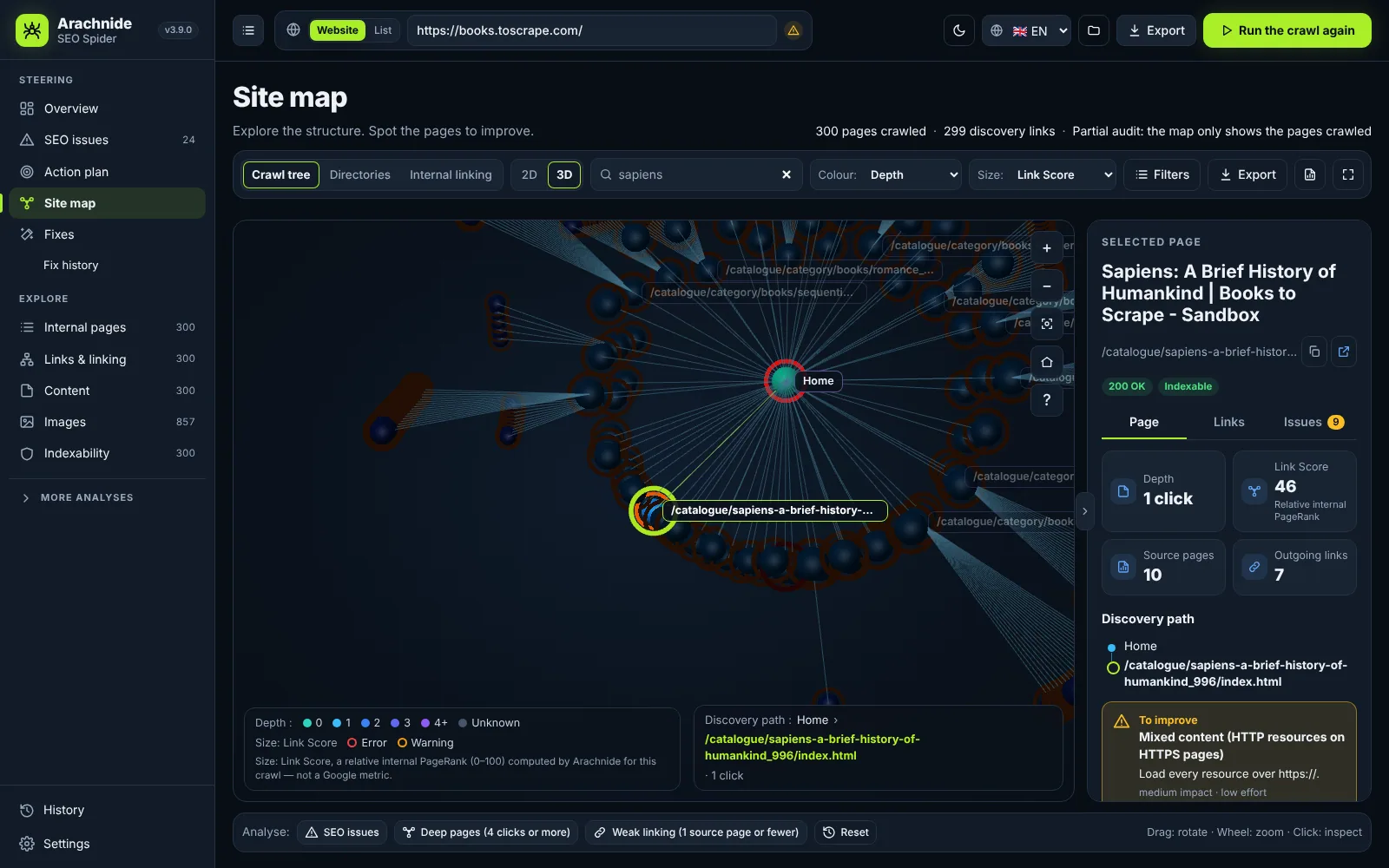
Two complementary views share the same data, filters, search and page inspector. The site map is the classic, Screaming Frog-style horizontal tree on a white background, made for screenshots and client reports. The 2D / 3D visualisation is the exploration view: dark style, radial layout, coloured by SEO issues by default.
- Three representations: crawl tree (shortest click path from the home page), directories (URL structure) and internal linking (the real directed links).
- Filters by folder, URL patterns (text, wildcard or regex), issues, depth, status, indexability, weak inbound linking, Link Score range; highlight or isolate.
- Page inspector with status, depth, Link Score, source pages, discovery path and issues; PNG and PDF exports with header, legend and context.
Segments
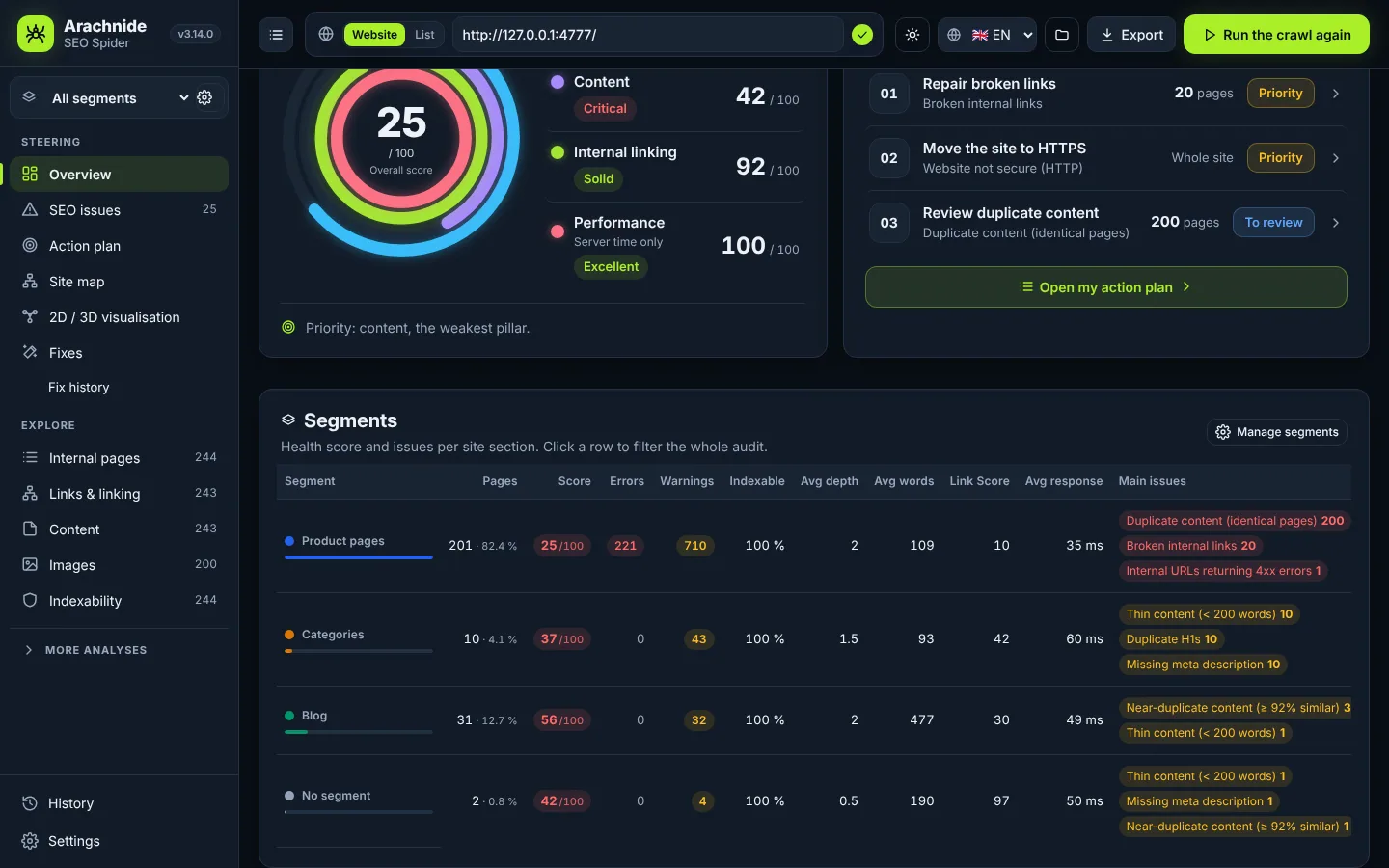
On a large site, one global score hides where the problems really are. Segments (3.14) split the audit into named sections exactly like Screaming Frog segments: product pages, categories, blog, a language, pages without traffic.
- Rules on 20 fields (path, URL, title, H1, status, indexability, depth, words, inlinks, Link Score, response time, structured data type, language, Search Console clicks, GA4 sessions, custom extractions) with text, number and boolean operators, combined with AND / OR.
- First match wins; “create from directories” builds one segment per top-level folder in one click.
- Applied after the crawl without recrawling; a global filter recomputes the dashboard, score, issues, action plan, tables, CSV exports and PDF report for that section.
Google data
Connect the Google data a crawler cannot see: PageSpeed Insights and Core Web Vitals from real Chrome users (CrUX), Search Console clicks, impressions, CTR and position per URL, and Google Analytics 4 sessions.
- Search Console by read-only service account or by CSV import; Google Analytics 4 by API or CSV (3.15).
- Finds pages Google sees but your links do not reach, orphan pages that still get traffic, low-CTR pages and non-indexable pages with traffic.
- Scheduled crawls (daily, weekly, monthly) with e-mail alerts when the score drops or errors appear, compared with the previous crawl, full report attached.
Client reports
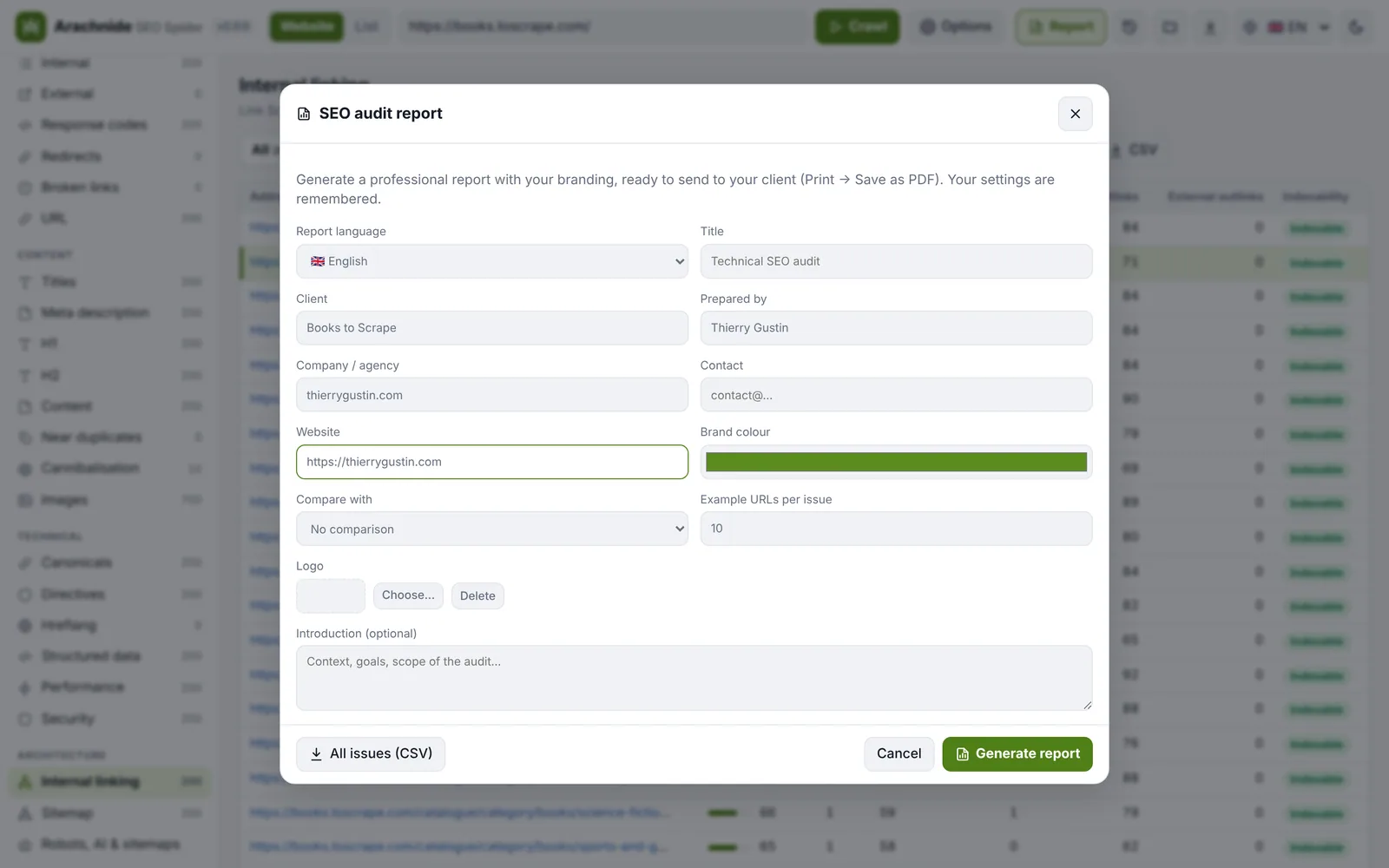
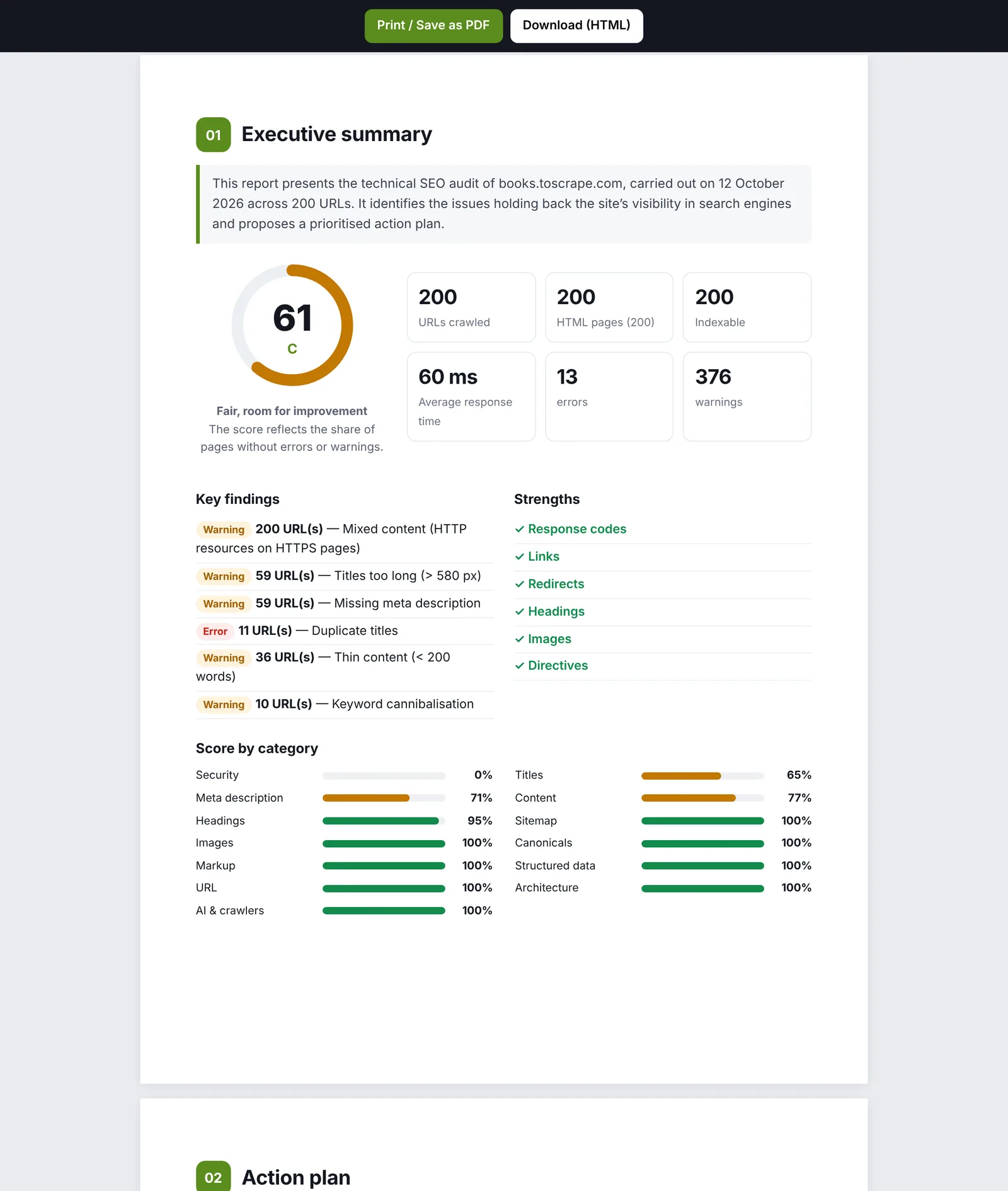
A white-label HTML report that prints to PDF, in six languages: your logo, colour, client name and contact details, an executive summary, key findings, scores by category, an action plan in three priority levels, a detailed analysis with sample URLs and the methodology.
- Compare with a previous crawl of the same site: score change, issues fixed, new or worse, URL by URL.
- Results by segment when segments are defined; a report for one segment names it on the cover.
- CSV of all issues and all pages for your client or developer.
AI agents and GEO
Since 3.13 Arachnide is built to be driven by an AI agent: yours, or any assistant that speaks MCP (Claude) or OpenAPI (ChatGPT Actions, LangChain, n8n, Make). Three doors, one set of 25 tools defined once.
- MCP over stdio (Claude Desktop, Claude Code), MCP over HTTP (claude.ai custom connectors, hosted agents, Claude Agent SDK) and REST + OpenAPI 3.1 importable as a ChatGPT Action in one click.
- GEO readiness score out of 100: AI crawler access (GPTBot, OAI-SearchBot, ClaudeBot, PerplexityBot, Google-Extended…), llms.txt, structured data coverage, content depth, hygiene.
- Access token created at first start, 240 requests per minute per IP, log of the latest calls in the app, write tools flagged as consequential.
Custom extraction and search
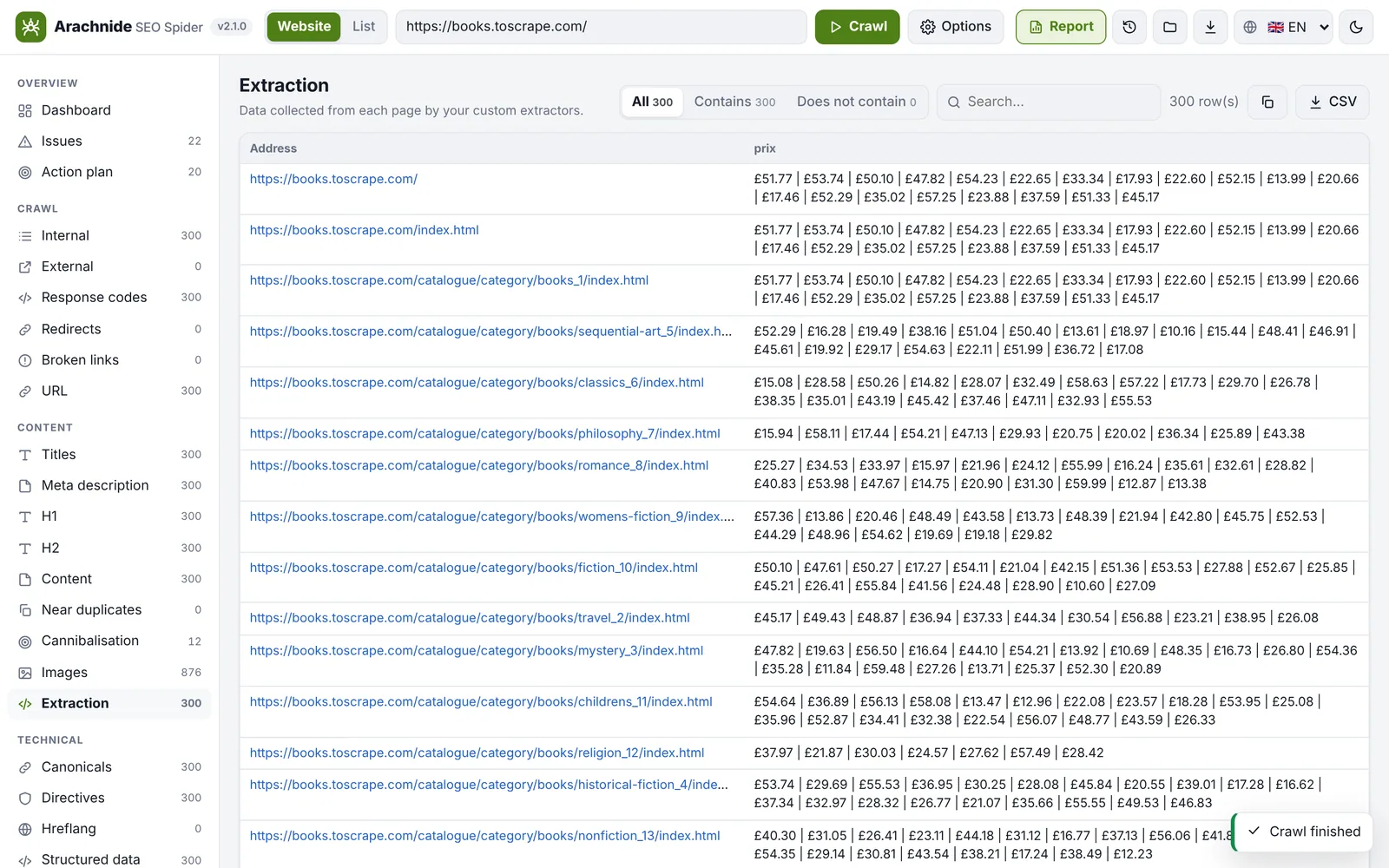
Collect any data from every page: price, author, date, SKU, tracking code. Up to 20 extractors by CSS selector (text, attribute, HTML or count), XPath (3.21) or regex, with an Extraction tab and one column per rule in the CSV export.
- Custom search: every page that contains a text or a regex, such as an old phone number or a tracking code.
- Extractions can drive segments (extract:Price) and the CLI accepts the same rules with --extract.
- A runaway regex is interrupted in a worker after 2 s instead of freezing the crawl.
Command line
Everything the interface does, from a terminal or a cron job: node src/cli.mjs <url> [options]. The CLI prints the score and the issues in your language, saves the crawl as gzipped NDJSON that the interface can open, and exports CSV and the HTML report.
- JSON (NDJSON gzip), pages.csv and issues.csv, branded HTML report, comparison with a previous crawl, segments, e-mail alerts for cron.
- --resume picks an interrupted crawl up from its journal; --sitemap crawls exactly the URLs of a sitemap; --extract adds one CSV column per rule.
- Same options as the interface: limits, speed, robots.txt modes, user agents, authentication, include / exclude, Google data.
Scale and performance
Versions 3.16 to 3.21 were a six-step scale programme: compact link graph in typed-array columns (14 bytes per link), gzipped NDJSON written as a stream, a resume journal, an analysis that compares every page for near duplicates, and a browser that never receives the whole crawl.
- Tested on a local synthetic site of 200,000 pages and 19.9 million links with npm run bench -- --pages 200000: crawl and analysis in 2,086 s (about 96 pages per second), saved in 38 s to a 62.5 MB file, peak memory 2.7 GB.
- Crawl guard-rails: the page budget counts downloaded pages, tracking parameters are removed, facet traps are reported, an unreachable robots.txt disallows everything as RFC 9309 requires.
- The default budget is 500 pages: raise it in Options → Limits for a large site.